


Let customers speak for us
I am a proud owner of a blue and black dog paw print tshirt. The quality is excellent, the size spot on and the shipping was super quick. I would highly recommend this product to anyone. Thank you Hobbster.

This is the second t shirt I’ve had from Hobbster. This has a printed logo-allows more detail than the embroidered designs. After a couple of washes it’s still holding its shape and colour well-the logo is also unaffected. The colour is great (like a wine red) and the stitching all high quality.
The main thing I like is the fit-the material has a little stretch in it which allows a nice fit across the shoulders without being too tight over my stomach. Overall really pleased with it.

Absolutely fantastic product, great quality and superbly original design 👌 very happy. Looking forward to receiving more items

A well made personal gift.

I'm a big fan of comfort, especially in the winter months. This sherpa blanket is warm, without being overheated. Perfect for hunkering down on a chilly afternoon

I had so many compliments when I was wearing these. They're really comfortable too. They are quite a narrow fit.
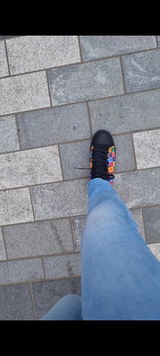
The shoes arrived well packaged and feel good quality. The design is beautiful and they are so comfy. Get lots of compliments wearing them and would love to buy more designs!
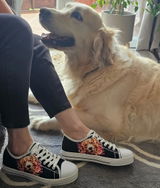
Bought this to see out the last of the cold weeks. When it hasn’t been stolen by my wife (which is frequent) I’ve found it to be great. Logo nicely embroidered. Colour (I went for the olive green) is really subtle. The hat is tightly knitted and double thickness so it’s warm and doesn’t pop off your head easily. Good quality stuff.
Delivery was fast and tracked by email. Nice company to do business with.

Bought this a couple of weeks ago but have waited brilliant I’ve worn and washed it a few times to give feedback.
I went for the blue shirt with Labrador logo. The logo is really nicely done-properly embroidered (rather than a cheap print) and the Hobbster brand is also embroidered in the arm-looks cool and it’s all pretty subtle.
Fit of the t shirt is really nice-I went true to size and the style is fitted but not too tight. After a couple of washes and irons the t shirt has kept its shape well and is colour fast.
I like this-it’s become one of my favourites. Will buy more.

Bought this bowl for our labradors -one of which can get a bit bloaty (pretty common with deep chested dogs.). It’s made of really good quality, heavy, thick plastic, with rubber at the base to stop it slipping around. The stainless bowl can be removed for easy cleaning. It holds just under a litre (so about 1.6 pints) and comfortably keeps the dog going for the daytime if we’re out (at least at this time of year.)
Delivery from Hobbster was really prompt and the tracking stuff kept me up to date. Free delivery due to spending over £40 was a nice touch.
![Dogit Elevated Dish Black - Large [900ml]](https://cdn.shopify.com/s/files/1/0789/5089/1851/files/dogit-elevated-dish-black-large-900mlhobbster-902901_70x70.jpg?v=1712049382)