


Hobbster
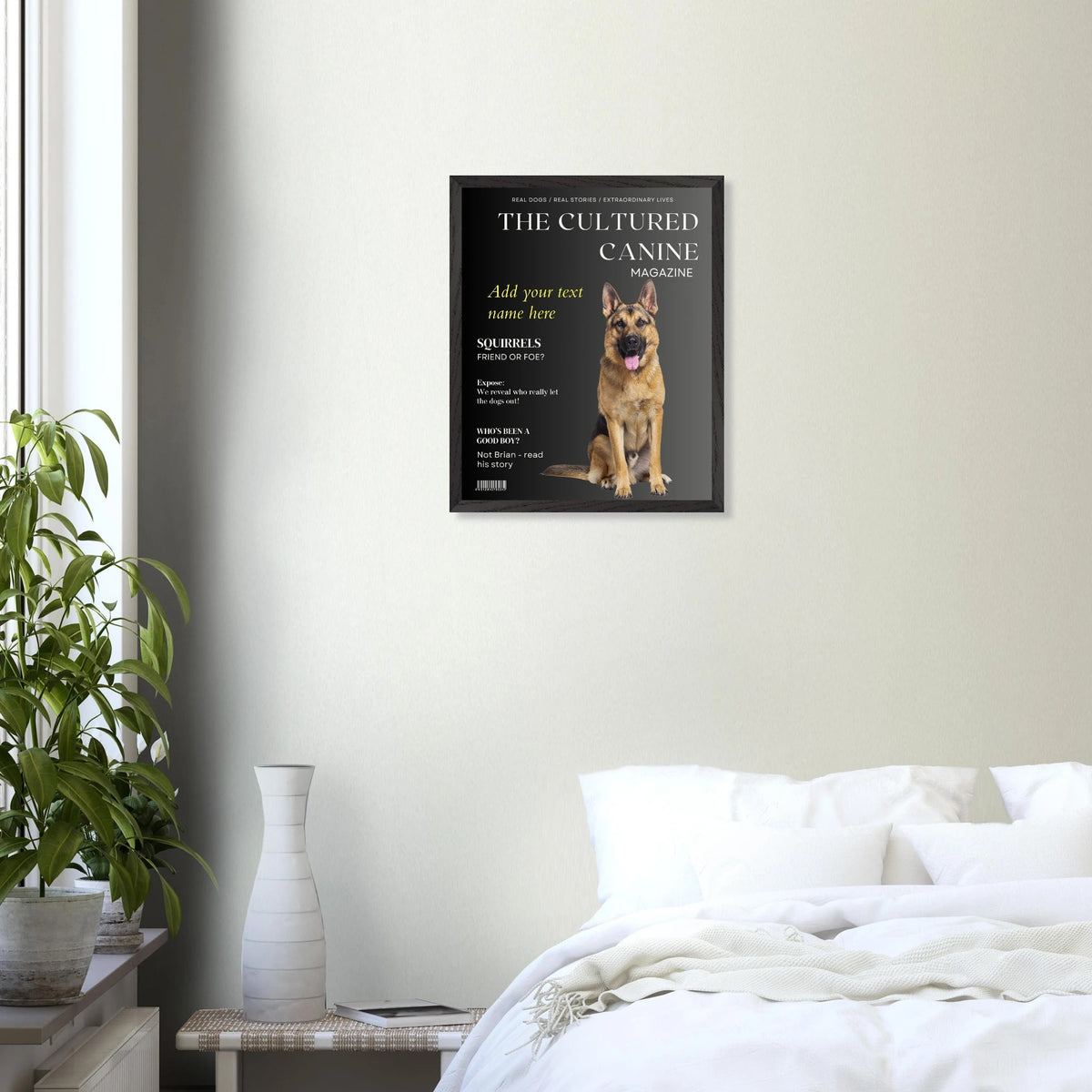
The Cultured Canine Magazine - Custom Dog Portrait
The Cultured Canine Magazine - Custom Dog Portrait
Couldn't load pickup availability
Elevate your interior design with our premium wooden framed poster, designed to bring gallery-level sophistication to your home or office. Meticulously crafted for those who value quality and sustainability, this ready-to-hang piece combines natural beauty with professional craftsmanship.
Key Features:
- Ready-to-Hang: Arrives with a convenient hanging kit, allowing for instant wall installation.
- Superior Framing: Crafted from sustainably sourced oak or ash wood, featuring a robust 20mm (0.79") profile for a bold, modern look.
- Museum-Quality Paper: Printed on 250 gsm (110 lb) archival, uncoated, matte paper for a high-end, fine art finish.
- Ultimate Protection: Includes shatterproof, high-clarity plexiglass to keep your artwork pristine.
- Eco-Friendly: Made with FSC-certified materials to ensure a minimal environmental footprint.
Whether you are decorating a minimalist living room or a professional workspace, our frames offer a timeless aesthetic that complements any decor style. Order now to transform your walls with this master's edition piece.
Tips for checking the suitability of an existing picture:

- Open the Photos app.
- Tap the photo you want to check.
- Swipe up on the photo (or tap the "i" (info) icon at the bottom of the screen).
- Look at the text box below the date and time. You will see numbers like 12MP followed by the exact resolution (e.g., 3024 × 4032).
- Open the Google Photos app (or your phone's default Gallery app).
- Tap the photo you want to check.
- Swipe up on the photo (or tap the three dots in the top right corner).
- Look under the Details or Info section. You will see the resolution listed in pixels (e.g., 4000 x 3000 or 12 MP).
- You will need to take a high resolution image of your dog. It is recommended to use the light coloured background option for darker dogs.
- Take a photo of your dog from the front or slightly to the side, from as close as possible.
- Crouch down to your dog's eye level rather than take the shot from overhead.
- If taking the photo outside try and photograph in open shade or overcast light so avoid sun glare.
- Include your whole dog in the picture, so you can crop the photo to how you want it.
- Make sure the picture is clear and not blurry
- Be careful of backgrounds which are the same colour as your dog. If your phone’s software can’t tell what is background, and what is dog, you may get parts of the background very sharp/in focus around the edges of the dog.
- Take multiple photos to make sure the eyes are in focus. Tap on the screen to tell the phone where to focus but don’t rely on that only! Phone cameras love to focus on the nose of the dog, especially when we are quite close to them. The nose is then the closest thing to the camera, and it’s usually shiny (contrast!) which sensors are easily able to grab onto and focus on.
- There is free background-removal software available you can use to leave you with a picture of your pet with a transparent background. This can then be mounted onto the picture template. If you're having an issue getting your image exactly how you would like it please send an email to info@hobbster.co.uk


Let customers speak for us
I am a proud owner of a blue and black dog paw print tshirt. The quality is excellent, the size spot on and the shipping was super quick. I would highly recommend this product to anyone. Thank you Hobbster.

This is the second t shirt I’ve had from Hobbster. This has a printed logo-allows more detail than the embroidered designs. After a couple of washes it’s still holding its shape and colour well-the logo is also unaffected. The colour is great (like a wine red) and the stitching all high quality.
The main thing I like is the fit-the material has a little stretch in it which allows a nice fit across the shoulders without being too tight over my stomach. Overall really pleased with it.

Absolutely fantastic product, great quality and superbly original design 👌 very happy. Looking forward to receiving more items

A well made personal gift.

I'm a big fan of comfort, especially in the winter months. This sherpa blanket is warm, without being overheated. Perfect for hunkering down on a chilly afternoon

I had so many compliments when I was wearing these. They're really comfortable too. They are quite a narrow fit.
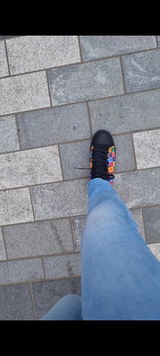
The shoes arrived well packaged and feel good quality. The design is beautiful and they are so comfy. Get lots of compliments wearing them and would love to buy more designs!
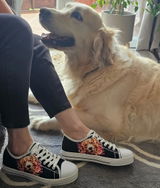
Bought this to see out the last of the cold weeks. When it hasn’t been stolen by my wife (which is frequent) I’ve found it to be great. Logo nicely embroidered. Colour (I went for the olive green) is really subtle. The hat is tightly knitted and double thickness so it’s warm and doesn’t pop off your head easily. Good quality stuff.
Delivery was fast and tracked by email. Nice company to do business with.

Bought this a couple of weeks ago but have waited brilliant I’ve worn and washed it a few times to give feedback.
I went for the blue shirt with Labrador logo. The logo is really nicely done-properly embroidered (rather than a cheap print) and the Hobbster brand is also embroidered in the arm-looks cool and it’s all pretty subtle.
Fit of the t shirt is really nice-I went true to size and the style is fitted but not too tight. After a couple of washes and irons the t shirt has kept its shape well and is colour fast.
I like this-it’s become one of my favourites. Will buy more.

Bought this bowl for our labradors -one of which can get a bit bloaty (pretty common with deep chested dogs.). It’s made of really good quality, heavy, thick plastic, with rubber at the base to stop it slipping around. The stainless bowl can be removed for easy cleaning. It holds just under a litre (so about 1.6 pints) and comfortably keeps the dog going for the daytime if we’re out (at least at this time of year.)
Delivery from Hobbster was really prompt and the tracking stuff kept me up to date. Free delivery due to spending over £40 was a nice touch.
![Dogit Elevated Dish Black - Large [900ml]](https://cdn.shopify.com/s/files/1/0789/5089/1851/files/dogit-elevated-dish-black-large-900mlhobbster-902901_70x70.jpg?v=1712049382)